LinkedIn stands out as the top spot for pros to build their brand and snag leads. In a world where ads cost a bundle, you can still grow your followers fast without spending a dime. This guide shares nine solid steps to boost your LinkedIn audience through organic reach. You’ll learn simple tweaks and habits that pay off big. Ready to turn your profile into a magnet? Let’s jump in.
Section 1: Mastering Your Profile for Maximum Attraction
Your profile acts as your digital handshake on LinkedIn. Get it right, and people stick around longer. Poor setups push visitors away quick. Focus here first to draw in the right crowd.
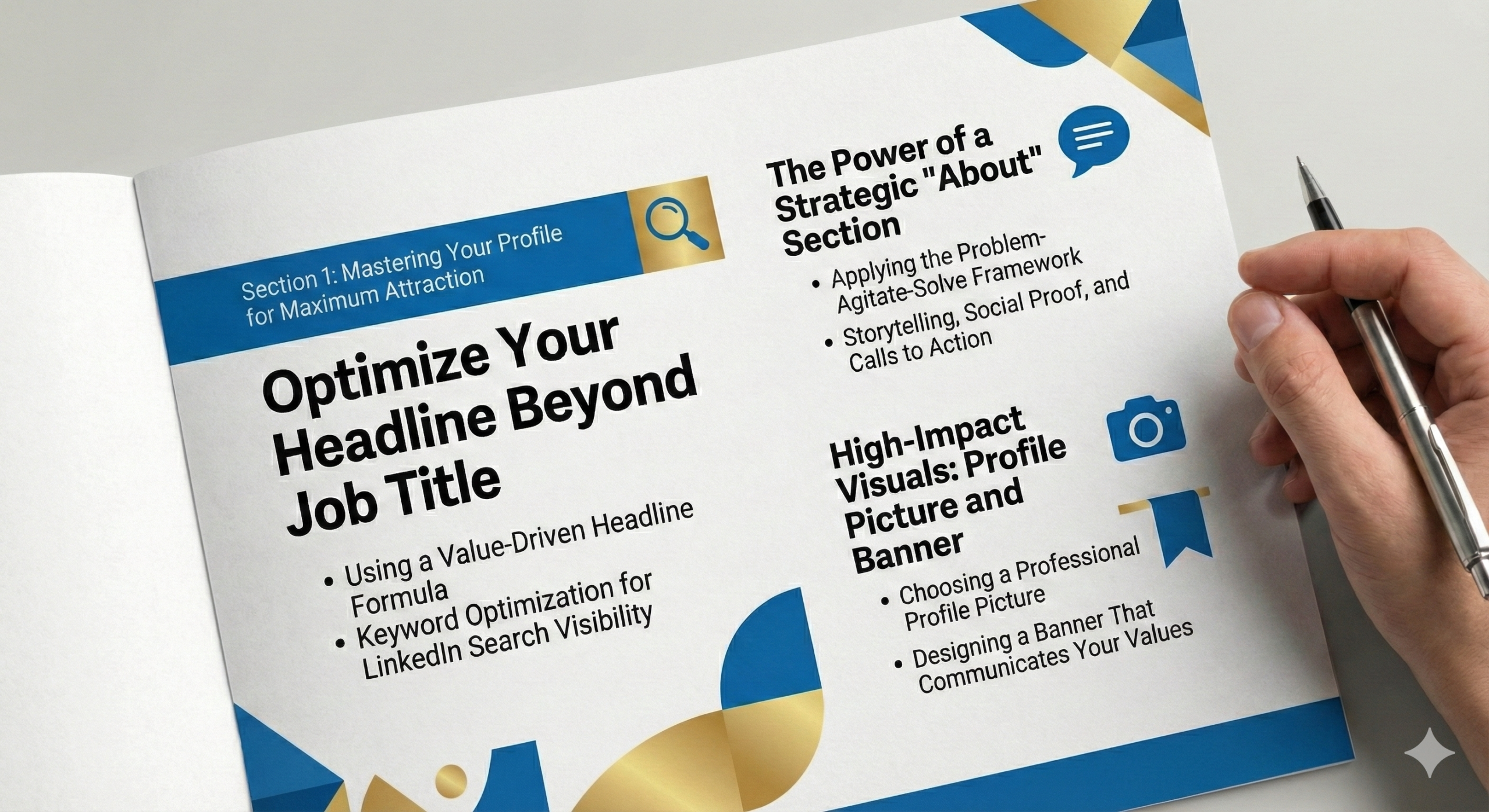
Optimize Your Headline Beyond Job Title
Ditch the plain job title in your headline. It misses the chance to grab attention. Use this formula: your role, key skills, and the win for your audience. For example, swap “Marketing Manager” for “Marketing Manager | Boosting Sales by 30% for Tech Startups | Helping You Close Deals Faster.”
This setup packs in search terms like “LinkedIn profile optimization” that folks hunt for. LinkedIn’s algorithm favors headlines with value. Test yours—watch connection requests rise. Aim for 220 characters max to fit mobile views.
People search for experts who solve their pains. Keywords such as “organic LinkedIn growth” or “free audience building” fit naturally. Update it often to match your latest wins. You’ll see more profile views in weeks
Using a Value-Driven Headline Formula
Most people skim LinkedIn profiles in seconds, and your headline decides if they stop or scroll. A value-driven headline instantly answers one question: Why should I care? When you clearly state who you help and how you help them, visitors feel like they’ve found someone relevant—not just another job title. Think benefits over labels. The clearer your value, the faster trust builds.
Keyword Optimization for LinkedIn Search Visibility
Your profile isn’t just for humans—it’s for LinkedIn’s search engine too. Using the right keywords helps your profile show up when people are actively looking for solutions you offer. The trick is keeping it natural. If it sounds like something you’d say out loud to a client, you’re doing it right. Forced keywords turn readers off, but smooth ones pull them in.
The Power of a Strategic “About” Section
The “About” spot tells your story in your words. Don’t list duties; solve problems instead. Try the Problem-Agitate-Solve method. Start with a common issue, like “Struggling to grow your network on LinkedIn?” Then stir it up: “Wasted hours on posts that flop hurt your brand.” End with your fix: “I share tips to gain 1,000 followers free.”
Weave in your journey to build trust. Keep it under 2,600 characters for easy reads. Add a call to action at the close, such as “Message me to chat about your LinkedIn goals.” This drives direct chats.
Storytelling hooks readers better than facts alone. Share a quick win, like how you tripled leads sans ads. Include keywords like “LinkedIn audience growth strategies” to boost search ranks. Profiles with strong “About” sections get 40% more views, per LinkedIn data.
Applying the Problem-Agitate-Solve Framework
People pay attention when they feel understood. Starting with a problem they recognize makes your “About” section instantly relatable. Agitating the pain shows empathy, not manipulation. When you then present your solution, it feels earned—not salesy. This structure mirrors real conversations, which is why it works so well on a relationship-driven platform like LinkedIn.
Storytelling, Social Proof, and Calls to Action
Facts inform, but stories connect. When you share a quick personal win or lesson, readers see themselves in your journey. Pair that with light social proof—results, feedback, or milestones—and credibility follows naturally. A simple call to action then gives them a next step, turning passive readers into active conversations.
High-Impact Visuals: Profile Picture and Banner
Your profile pic sets the first tone. Pick a clear, pro headshot with good light and a smile. Avoid selfies or group shots—they confuse viewers. Dress like your industry pros do.
The banner above your pic screams your brand. Design one that shows your niche, say a graphic with “Free Tips for LinkedIn Success” and your logo. Use free tools like Canva for quick makes.
Visuals boost credibility fast. Profiles with custom banners see 21 times more views, stats show. Tie it to your value, like mission quotes. Refresh them yearly to stay fresh. Strong images pull in connections who match your vibe.
Choosing a Professional Profile Picture
Your profile photo is often your first impression—before a single word is read. A clear, friendly photo makes you feel approachable and real, not corporate or distant. You don’t need a studio shoot; good lighting and a genuine smile go a long way. If someone wouldn’t feel comfortable messaging you based on your photo, it’s time for an update.
Designing a Banner That Communicates Your Value
Your banner is prime real estate, yet most people leave it blank or decorative. A strong banner quietly reinforces what you do and who you help. It should feel like a helpful billboard, not an ad. When done right, visitors instantly “get” you without needing to scroll—saving them time and boosting your credibility.
Section 2: Content Strategy — Quality Over Quantity
Content fuels your LinkedIn rise. Post smart, not often. Aim for posts that spark shares and comments. This builds your audience without cash outlay.
The 80/20 Rule for Content Mix
Stick to the 80/20 split for posts. Make 80% useful stuff—tips, insights, or fun polls. Save 20% for your offers or wins. This mix keeps followers hooked without sales push.
Share how-tos on “organic LinkedIn growth” to position you as a go-to. Readers value real help over hype.
Track what works with LinkedIn analytics. If education posts get likes, do more. Balance keeps your feed alive and algorithm-friendly. You’ll grow followers steady.
Educational vs. Promotional Content Balance
No one logs into LinkedIn hoping to be sold to. Educational content builds goodwill by helping without asking for anything back. When promotion is occasional and relevant, it feels earned instead of intrusive. This balance keeps your audience engaged long-term and makes your offers more effective when you do share them.
Leveraging Native Video and Document Posts
LinkedIn loves homegrown content. Upload videos direct, not YouTube links. Short clips under two minutes on quick tips perform best.
Film with your phone—authenticity wins. Talk about “free ways to boost LinkedIn audience” facing the camera. Add captions for silent watchers.
For documents, create PDF carousels with slides. Break big ideas into visuals. These hold eyes longer, upping dwell time. Native uploads get six times more engagement than links. Experiment to find your groove.
Best Practices for LinkedIn Native Video
Native video feels more personal than text because people can see and hear you. Short, informal videos lower the barrier to connection—you don’t need perfection, just clarity. Speaking directly to the camera feels like a one-on-one conversation, which is why these videos often outperform polished, overproduced clips.
Using PDF Carousels to Increase Dwell Time
Carousels slow people down in a fast-scrolling feed. Each slide invites curiosity, making readers stay longer without realizing it. When you break ideas into bite-sized visuals, complex topics become easy and engaging. More time spent equals more reach—without changing what you say, just how you present it.
Formatting for Skimmability and Engagement
Short paragraphs rule the feed. Break text into bites—two to three lines each. This fights scroll fatigue. Emojis add pop without clutter. Use one per section, like ✅ for tips.
Bullet points shine for lists, making scans easy. The algorithm rewards time spent. Well-formatted posts climb higher. Test bold for key phrases. Your “LinkedIn audience growth” tips will shine brighter.
Optimizing Paragraph Length and Layout
Long blocks of text are intimidating on mobile, where most people browse LinkedIn. Short paragraphs feel lighter and easier to digest, encouraging readers to keep going. White space isn’t wasted space—it’s breathing room. When your post looks easy to read, people are far more likely to actually read it.
Using Emojis, Bullets, and Emphasis Strategically
Small visual cues guide attention. Emojis can signal emotion, bullets organize thoughts, and bold text highlights what matters most. Used sparingly, they make your content friendlier and clearer. Overuse feels noisy, but thoughtful formatting feels helpful—like someone guiding your eyes through the message.
Section 3: Strategic Engagement — Becoming Visible in the Feed
Engage to get seen. Likes alone won’t cut it. Smart moves make your name pop in feeds.
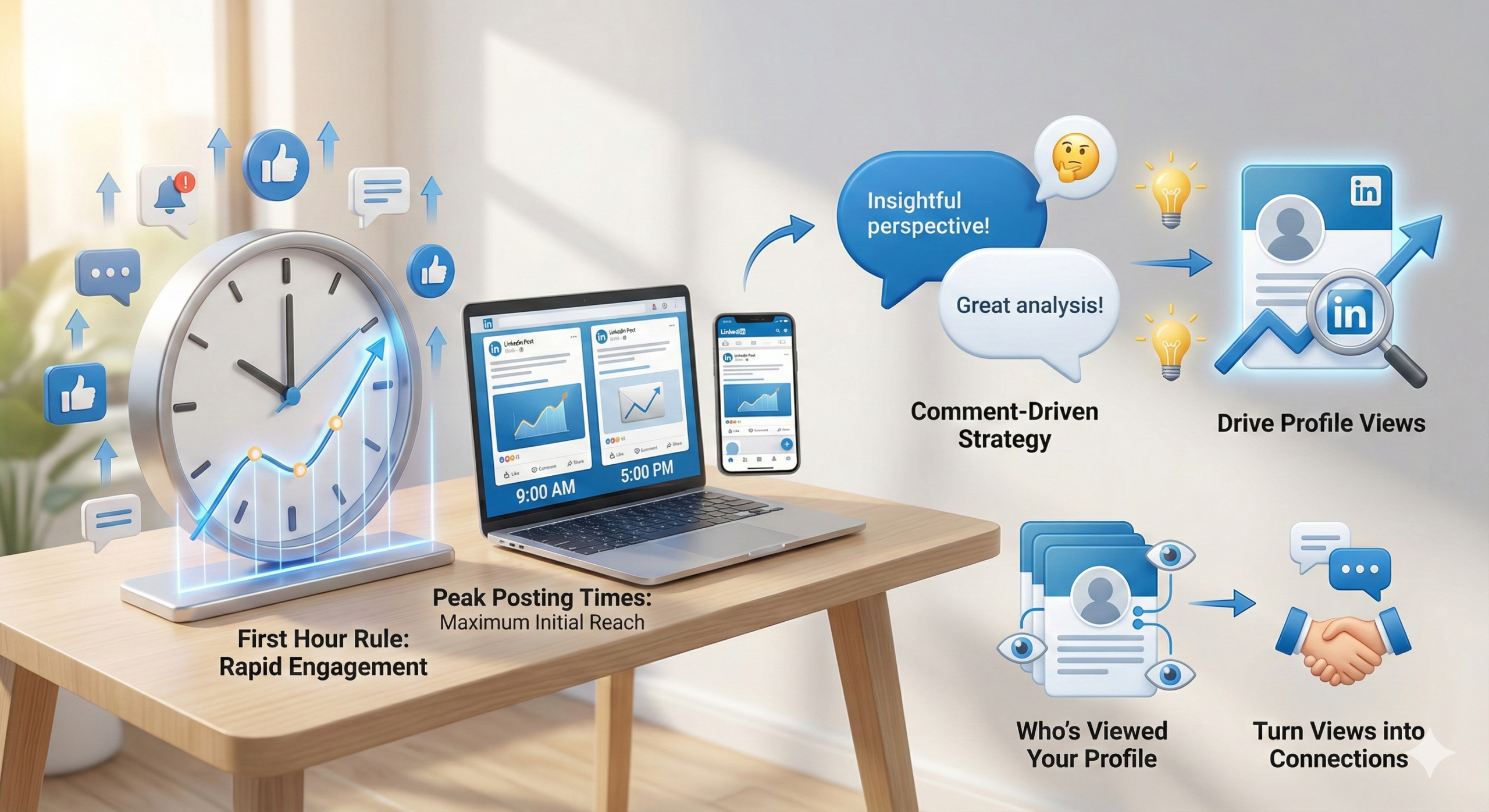
The First Hour Rule for Post Engagement
The first hour after posting sets your fate. Quick likes and comments tell the algorithm it’s hot. Seed engagement from your network right away.
Post when your crowd’s online—mornings for most pros. Use LinkedIn’s scheduler for precision. Early buzz can double reach. Watch patterns in analytics. If 9 AM spikes views, stick there. This rule turns free posts into audience magnets.
Timing Posts for Maximum Initial Reach
Even great content needs the right timing. Posting when your audience is active gives your post a fighting chance early on. Those first interactions tell LinkedIn whether your content is worth spreading. Think of timing as opening the door when people are already walking by.
Commenting as a Content Generation Strategy
Skip bland comments like “Nice!” Add meat instead. Share a tip or question on leader posts. For a sales tip post, say: “Spot on! I added personalization and saw 50% more replies. How do you track opens?” This pulls eyes to your profile.
Do this daily on five posts. It builds your rep as thoughtful. Over time, connections roll in. Value draws the right crowd.
Writing Insightful Comments That Drive Profile Views
Comments are mini-content pieces hiding in plain sight. A thoughtful comment can spark curiosity and pull people back to your profile without posting anything yourself. When you add perspective instead of praise, you stand out. Over time, this positions you as someone worth following—not just liking.
Targeting “Who’s Viewed Your Profile”
Check who peeked at your page often. Many come from likes or shares. Send tailored invites to them. Spot industry matches and connect. Note their recent activity in your request. This warms up bonds. It’s a free way to grow. Active viewers turn into followers easy. Nurture these leads for long-term wins.
Turning Profile Views into Warm Connections
If someone viewed your profile, they’re already interested—even if just a little. Reaching out thoughtfully turns curiosity into conversation. Mentioning something relevant makes the interaction feel natural, not awkward. These warm connections are easier to build and often lead to stronger professional relationships.
Section 4: Growing Your Network with Intent
Build ties that last. Random adds flop. Target folks who fit your goals.
The Connection Request Personalization Blueprint
Blank requests get trashed. Always add a note—under 300 characters. Reference their post: “Loved your take on remote work. Let’s swap ideas Or shared ground. “We both spoke at Tech Conf. Connect?” This boosts accepts to 80%.Keep it short and real. Track what works. Personalized asks skyrocket your network free.
Writing Short, High-Converting Connection Notes
A personalized note shows effort, and effort stands out. You don’t need clever wording—just relevance and sincerity. Referencing a shared interest or post makes your request feel human, not automated. People are far more likely to accept when they feel seen rather than targeted.
Leveraging LinkedIn Groups for Authority Building
Pick tight groups over big ones. Join five in your niche, like “Digital Marketing Pros.” Answer questions with depth, no links at first. Share stories or steps. This crowns you expert. Post once weekly with value. Engagement here spills to your profile. Groups fuel organic growth.
Choosing the Right Groups and Adding Value First
Groups work best when you show up to contribute, not promote. Answering questions generously builds quiet authority over time. When people recognize your name from helpful responses, they naturally check your profile. Trust grows before any pitch is ever made.
Utilizing the “People Also Viewed” Feature
Scan “People Also Viewed” on rival profiles. It shows similar pros. Connect with their followers. Request with: “Saw your work via [Rival’s] page. Impressed by your SEO tips.” This taps hidden pools. Do 10 a week. It expands reach smart. Watch your audience climb.
Expanding Reach Through Adjacent Audiences
“People Also Viewed” reveals hidden paths to new connections. These are professionals already aligned with your niche but outside your immediate network. Reaching out here feels relevant rather than random. It’s one of the simplest ways to grow strategically without starting from scratch.
Section 5: Advanced Free Features and Leveraging Existing Assets
Tap built-in tools and old wins. These amp your efforts without new work.
Activating Creator Mode and Relevant Hashtags
Flip on Creator Mode in settings. It spotlights followers and topics. List three to five, like “LinkedIn growth” or “professional networking.” This tweaks your profile for content focus. Reach grows as algorithm pushes you. Hashtags matter—three per post, specific ones. #OrganicLinkedInGrowth beats broad tags. They connect you to seekers.
Selecting High-Intent Hashtags for Organic Reach
Hashtags work best when they match intent, not popularity. Specific hashtags attract people actively searching for solutions—not just scrolling. Fewer, focused tags beat broad ones every time. When the right audience finds your content, engagement becomes easier and more meaningful.
Cross-Promotion on Other Platforms
Share your LinkedIn link in email footers. It drives traffic steady. Tweet top posts: “Just shared LinkedIn tips—check it [profile link].”
For broader reach, try tactics from blog promotion strategies. Mention activity in newsletters. This funnels fans over. Cross-play builds fast.
Driving External Traffic Back to LinkedIn
Your audience already exists—you just need to guide them. Mentioning your LinkedIn activity in emails or other platforms gives people a reason to follow you where conversations happen. This creates consistency across channels and strengthens your personal brand without extra content creation.
Repurposing Existing Top-Performing Content
Turn blog hits into LinkedIn articles. Pull key points, add fresh spins. Slice webinars into one-minute videos. Upload native for max views. Old gold becomes new audience bait. Adapt for the platform—conversations over sales. This saves time, boosts growth. Your past efforts multiply.
Turning Blogs, Webinars, and Posts into LinkedIn Assets
You don’t need more ideas—you need better reuse. Old content already proved it works, so reshaping it for LinkedIn is efficient and smart. By adapting the format and tone, you give valuable insights a second life. Less effort, more visibility, better results.
Consistency Fuels Exponential Free Growth
These nine ways pack a punch for LinkedIn audience growth. Start with profile tweaks, mix in quality content, engage sharp, network smart, and use free tools. Each step builds on the last, creating a loop of more views and connections. Stick with it—post weekly, comment daily. Results compound over months. No budget needed, just effort. Take one tip today. Watch your free audience soar. What’s your first move?
FAQ
You can grow your LinkedIn audience organically by optimizing your profile, posting valuable content, engaging consistently, and sending personalized connection requests—without spending on ads.
Yes. A strong headline, clear “About” section, and professional visuals improve profile visibility and encourage visitors to follow or connect with you.
Quality matters more than quantity. Posting one to three valuable posts per week and engaging daily with others’ content works well for organic growth.
Educational posts, short native videos, document carousels, and practical tips tend to get higher engagement than overly promotional content.
Yes. Creator Mode highlights your content topics, boosts discoverability, and helps LinkedIn recommend your profile to relevant audiences.