

In today’s digital age, accessing and sharing videos online has become easier than ever. TeraBox, a cloud storage service, is becoming increasingly popular thanks to its user-friendly interface and generous free storage options. But did you know you can also get TeraBox videos for free via Telegram?.
In this article, we will guide you step-by-step on how to do just that, all in under five minutes! From setting up your account to maximizing your downloading experience, let’s dive in!
What is TeraBox?
TeraBox is a cloud storage platform known for its impressive features, including offering 1024 GB of free storage space. Users can upload, store, share, and access their media files from any device with internet connectivity. With its easy-to-use features, TeraBox makes file sharing a breeze, especially for videos. This is where integrating with Telegram, a messaging app with over 500 million active users, becomes beneficial for quickly sharing and downloading TeraBox videos.
Why Use Telegram for Downloading TeraBox Videos?
Telegram is more than just a messaging app; it’s a versatile platform that allows for seamless sharing of large files. When it comes to downloading TeraBox videos, Telegram’s capabilities stand out. We’ll explore some reasons why using Telegram is an excellent option:
- Speed: Telegram allows for fast downloading due to its efficient data handling.
- Privacy and Security: Your files are transmitted securely, reducing the risk of theft or loss.
- Convenience: Telegram integrates well with cloud storage platforms, making it easy to access files on the go.
- Group Sharing: You can easily share videos with friends or groups without needing multiple downloads.
Steps to Get TeraBox Videos for Free via Telegram
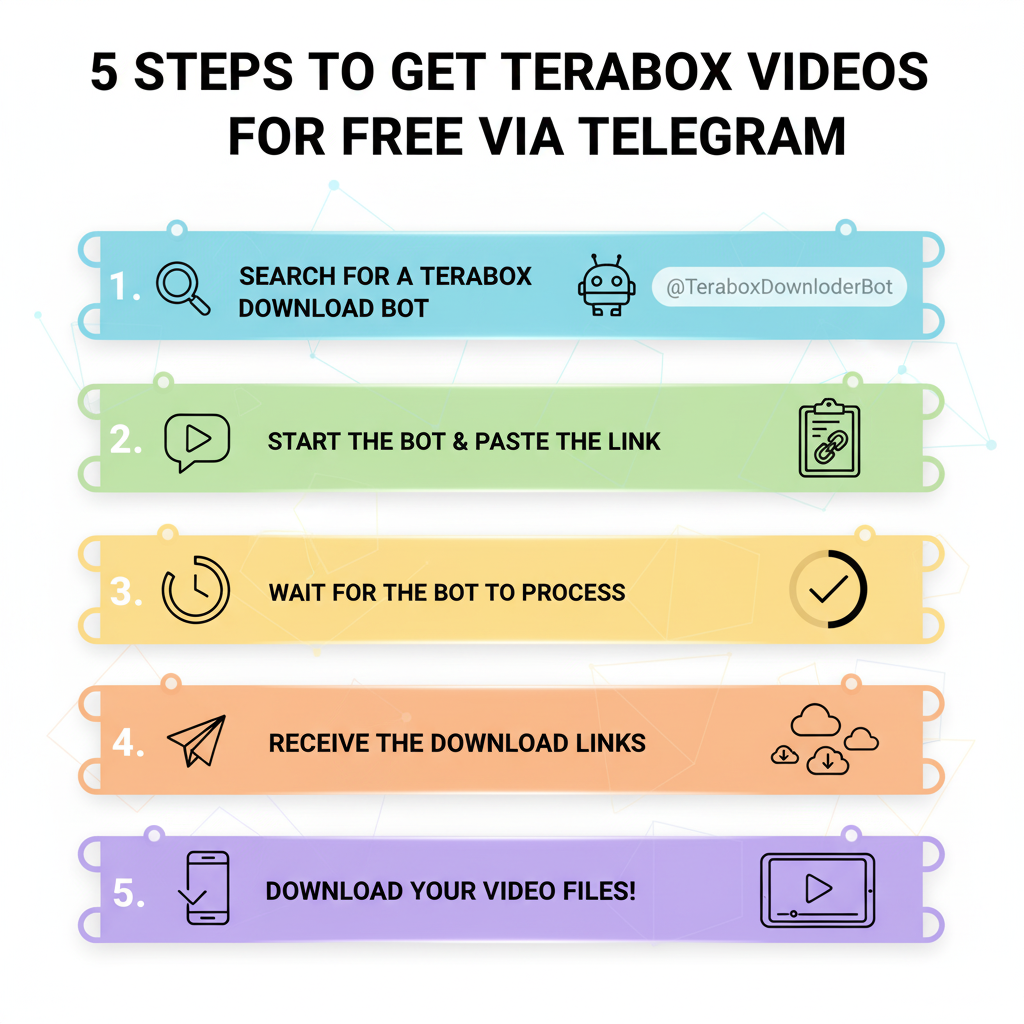
Now that you understand what TeraBox is and why Telegram is the best option for downloading videos, let’s get into the nitty-gritty of the process. Here’s how to obtain TeraBox videos using Telegram in just five minutes.
Step 1: Create or Access Your TeraBox Account
If you don’t already have a TeraBox account, sign up for one:
- Visit the TeraBox website or download the app.
- Create an account using your email or social media account.
- Verify your email to activate your account.
Once your account is set up, log in and navigate to the video you want to download.
Step 2: Copy the Video Link
To download a video from TeraBox, you first need to copy its link.
- Find the video you wish to share.
- Click on the video to open it.
- Look for the “Share” button and select it.
- Choose “Copy Link” to get the URL of the video.
Step 3: Open Telegram
Make sure you have the Telegram app installed on your device. If you don’t have it yet:
- Download it from the App Store or Google Play Store.
- Create a Telegram account using your phone number.
Step 4: Use a Telegram Bot to Download
Telegram has various bots to help with downloading files. Here’s how to use a bot to retrieve your TeraBox video:
- Open Telegram and search for a file downloader bot (such as @GetPublicLinkBot).
- Start a conversation with the bot by clicking “Start.”
- Paste the copied TeraBox video link into the chat.
- The bot will process the link and respond with a download link for your video.
Step 5: Download the Video
Finally, it’s time to download your video:
- Click on the download link provided by the bot.
- The video will begin downloading to your device.
- Once downloaded, you can watch it anytime, anywhere!
Tips for a Smooth Download Experience

While the steps above are straightforward, here are some tips to enhance your downloading experience:
- Check Internet Connection: Ensure you have a stable internet connection to avoid interruptions.
- Free Up Storage Space: Make sure your device has enough storage to accommodate the downloaded video.
- Update Apps: Keep both TeraBox and Telegram updated for optimal performance.
- Utilize Groups: If you’re part of any groups, consider sharing the video link there for collective viewing.
Common Issues and Solutions
Even with a simple process, you may encounter some issues. Here are common problems and their solutions:
- Link Expiration: If your TeraBox link expires, simply get a new link and redo the process.
- Bot Not Responding: Try restarting the bot or searching for another one.
- Download Failures: In case of a failed download, check your internet connection.
Conclusion
Accessing TeraBox videos for free via Telegram is a quick and efficient way to enjoy your favorite media without hassle. By following the steps outlined in this guide, you can effortlessly share and download videos in just five minutes. Whether you’re looking to share moments with friends or save content for personal enjoyment, combining TeraBox and Telegram streamlines the process beautifully. So gear up, grab your favorite TeraBox videos, and start sharing them today!
FAQ ( Frequently Asked Questions)
How to open Telegram secret chat?
Open the Telegram app and find the person you want to message.
Tap on their profile picture.
Select “Start Secret Chat.”
Confirm by tapping Start.
Tip: Secret Chats use end-to-end encryption and are not stored in the Telegram Cloud, meaning only you and your contact can read the messages.
Is Telegram still safe in 2025?
Yes, Telegram remains a safe and secure messaging app in 2025.
Here’s why:
Secret Chats use end-to-end encryption for full privacy.
Cloud chats are encrypted in transit and on Telegram’s servers.
You can enable Two-Step Verification for extra security.
⚠️ Caution: Avoid sharing passwords or verification codes, and only use the official Telegram app to protect your account.
How to Get TeraBox Videos for Free via Telegram in 5 Minutes?
Join verified Telegram channels that share public TeraBox links and download directly without extra apps.
Is it legal to download TeraBox videos via Telegram?
Yes, it’s legal if the videos are public or shared with permission — avoid copyrighted content.
Do I need a TeraBox account to access videos from Telegram?
You can preview links without an account, but logging in allows faster and safer downloads.
Can I use Telegram bots to download TeraBox videos automatically?
Yes, some Telegram bots fetch TeraBox files instantly, but ensure they follow TeraBox’s usage policy.