

Did you know that businesses using social media analytics see up to 20% higher engagement rates? Many think you need paid tools to track performance. That’s not true. Free options can reveal key insights if you know where to look. This article shares best 12 practical tips. They use zero-cost methods to boost your social media results. You’ll learn to spot trends, understand your audience, and measure real impact right away.
Mastering Native Platform Insights (The Foundation)
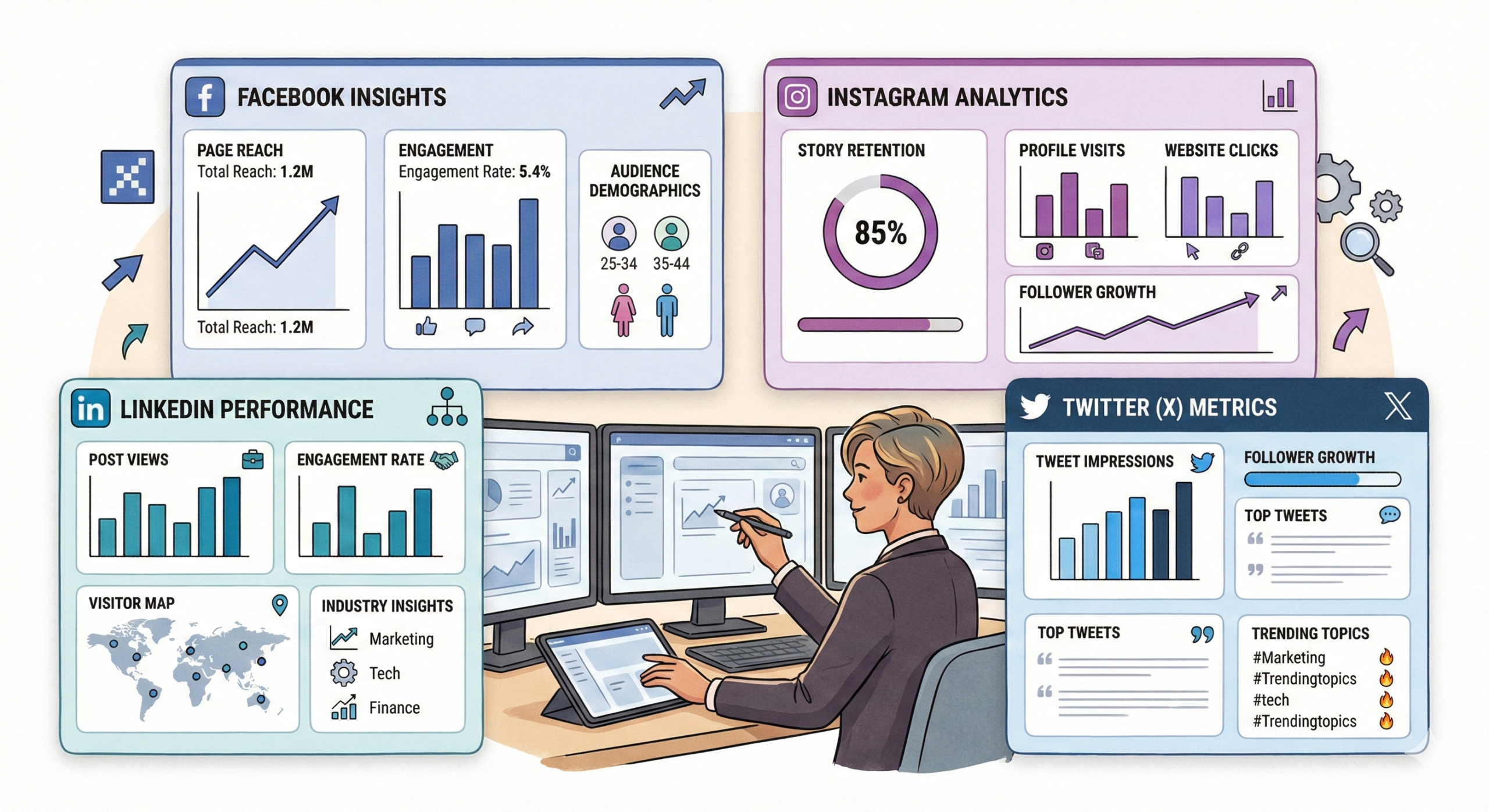
Start with the basics. Major platforms offer free analytics dashboards. These give accurate data on your posts and followers. No extra cost needed.
Deep Dive into Meta Insights (Facebook & Instagram)
Meta Insights works for both Facebook and Instagram. It shows reach and impressions clearly. Reach counts unique viewers. Impressions track total views, even repeats.
Many skip story retention rates. This metric tells how long people watch your stories. Aim for over 70% to know your content holds attention.
Set up the Meta Pixel for free. It tracks conversions like sign-ups from social links. Add the code to your site once. Then watch how posts drive actions.
Leveraging LinkedIn Analytics for B2B Growth
LinkedIn Analytics shines for business networks. Check follower demographics first. See industries and company sizes that follow you.
Compare company page updates to personal posts. Pages often get steady views. Personal shares can spark more comments in B2B circles.
Track visitor trends over time. A spike might tie to a post. Use this to plan content that fits your audience’s work life.
Tracking Twitter Performance with Native Tools
Twitter’s dashboard, now X Analytics, tracks impressions per tweet. Look at velocity too. It shows how fast views build after posting.
Engagement rate helps spot winners. Divide likes, retweets, and replies by impressions. Threads perform well here. Analyze each part to see what keeps users reading. Export data if needed. Free CSV files let you review trends weekly. Focus on top tweets to repeat success.
Section 2: Strategic Content Analysis for Better Engagement
Move beyond likes. Dig into what really works for your content. Free data helps you refine posts for stronger connections.
Analyzing Audience Activity Peak Times
Each platform shows when followers are online. Cross-check Facebook’s data with Instagram’s. Find overlaps for your best post windows.
Twitter might peak evenings. LinkedIn favors work hours. Create one schedule from all insights. A/B test times. Post similar content at different hours. Use free tools to compare engagement. Adjust based on what gets more views.
Identifying Your Top 10% Performing Content Types
Pull data from platform exports. Some let you download CSVs for free. Others need manual notes on post types like videos or carousels. Sort by save and share rates.
The top 10% often includes quick tips or visuals. Double down on those formats. For example, if carousels get twice the saves, post more. Test small changes. Track how tweaks affect shares. This builds a content plan based on real wins.
Deconstructing Engagement Quality (Saves and Shares)
Likes feel good but don’t show depth. Saves mean users value your content enough to revisit. Shares spread your message organically.
On Instagram, a post with 50 saves beats 200 likes. It signals evergreen appeal, like a how-to guide.
Track these to craft useful posts. Compare across content. High saves often pair with questions that spark discussion. Use this to guide future ideas.
Section 3: Leveraging Free Third-Party Tools for Competitive Gaps
Native tools are great. Free add-ons fill in blanks like competitor views. They spot opportunities without budgets.

Utilizing Free Social Listening Tools for Sentiment Tracking
Tools like Google Alerts watch mentions for free. Set alerts for your brand name. Catch positive buzz or quick fixes for complaints.
Mention’s free tier scans social sites. Track sentiment around campaigns. A spike in happy comments means your message lands well.
Review weekly. Tie findings to post performance. This keeps your strategy responsive to real talk
Hashtag Research and Performance Benchmarkingb
Instagram’s search suggests tags. Pick niche ones over broad hits. For “free social media analytics,” try “analytics tips free” for targeted reach.
Check average engagement. Free tools show post counts per tag. If yours beats the norm, it’s a keeper. Test new tags on posts. Track views and interactions. Swap out low performers to lift overall results.
Basic Competitive Analysis with Search Operators
Google’s free search uncovers rival moves. Use “site:twitter.com competitor name” to see their recent activity. Add quotes for exact phrases. Like “site:instagram.com brand campaign” pulls specific posts. Note what gets traction. This quick scan reveals gaps. If they use videos well, try it. No paid spy tools required. For deeper content performance metrics, explore free reports too.
Section 4: Tracking Conversion and Referral Traffic Without Spend
Engagement is step one. Now link it to real results like site visits. Free methods close that loop
Mastering UTM Parameters for Accurate Source Tracking
UTMs tag links to show sources. Use Google’s free Campaign URL Builder. Enter your URL, source like “twitter,” and medium “social.” Add campaign name for posts. Like “utm_campaign=analytics_tip1.” Paste the new link in bios or posts. This splits traffic in analytics. See which platform drives most clicks without guesswork.
Analyzing Social Traffic in Google Analytics (Free Tier)
Set up free Google Analytics on your site. Go to Acquisition > Social. It lists platforms by sessions. Check bounce rates. High ones mean visitors leave fast. Low goal completions show weak conversions. Drill into All Traffic. Filter for social referrals. Spot top pages from posts. Tweak underperformers.
The Power of Simple Link-in-Bio Clicks
Free tools like Bitly shorten links with click stats. Track daily hits. Linktree’s basic plan shows top clicks too. Correlate spikes to posts. A big jump after a story? That format works for traffic. Use these for quick tests. No complex setup. Just watch patterns to refine your flow.
Turning Data into Direction
Free social media analytics open doors to smart growth. These 12 tips—from native dashboards to UTM tags—show you can gain deep insights without spending.
Dive into Meta’s retention rates. Benchmark hashtags against rivals. Track UTMs for true ROI. Diligence turns free data into wins.
Start today. Pick one tip, like checking peak times, and apply it this week. Your engagement will climb.
Key Takeaways
- Review native insights weekly to spot top content formats.
- Use Google Alerts for sentiment and adjust posts fast.
- Add UTMs to all links for clear traffic sources.